Client: PLY, United Kingdom
My roles: Mobile app & Full-stack developer, UI/UX designer, Project manager
My roles: Mobile app & Full-stack developer, UI/UX designer, Project manager

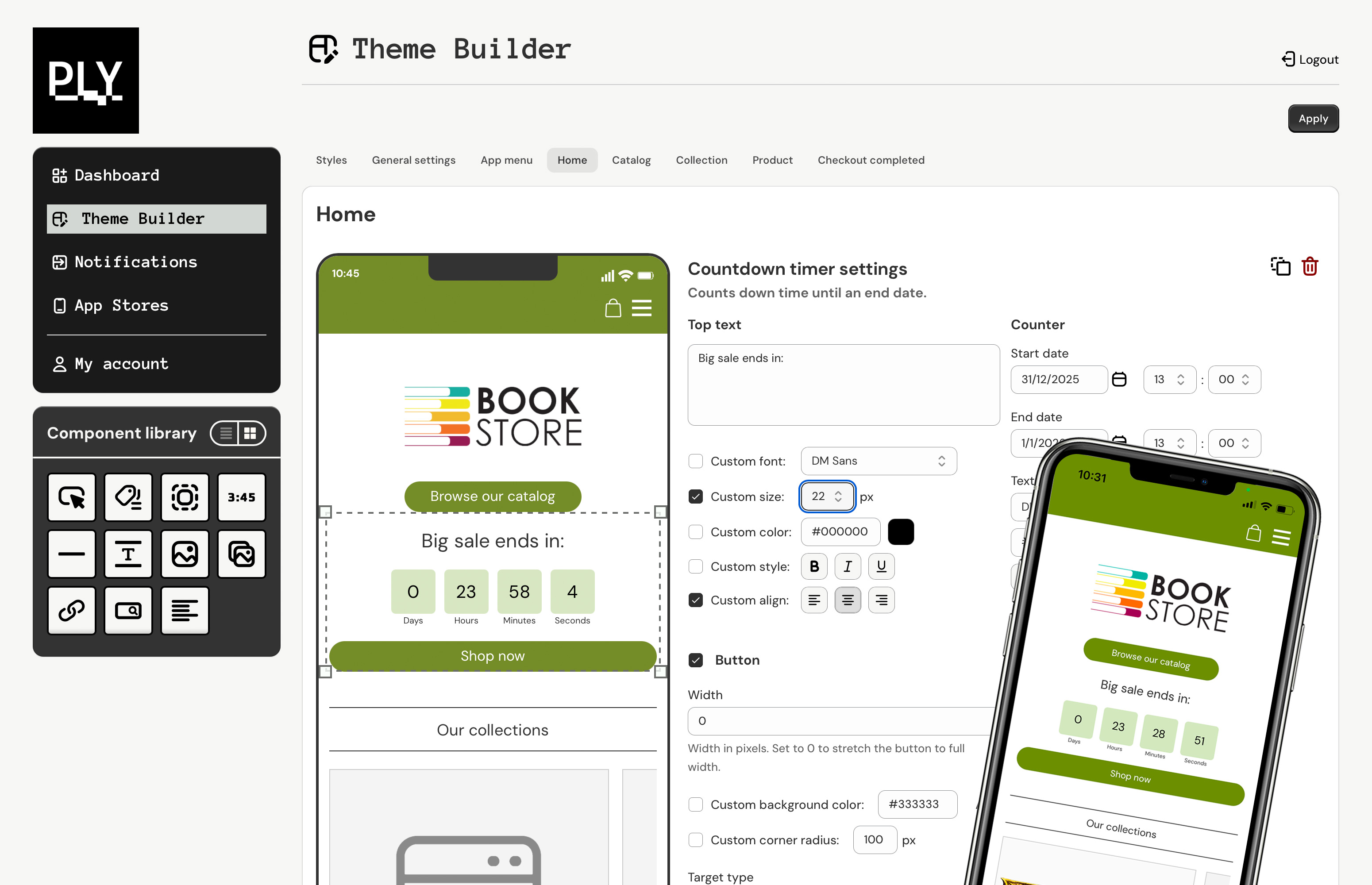
The main capabilities of PLY include:
- Native shopping experience where customers can browse products, add items to cart, and complete checkout entirely within the mobile app
- Multiple payment methods including credit card, Apple Pay, and Google Pay
- Full customization tools featuring a Theme builder and a drag-and-drop, component-based Screen builder for store owners
- In-app messaging and push notifications to engage customers directly through their mobile app
- PLY Preview - a fully functional preview app that transforms into any store's mobile app after scanning a QR code, allowing shop owners to test their app before launch
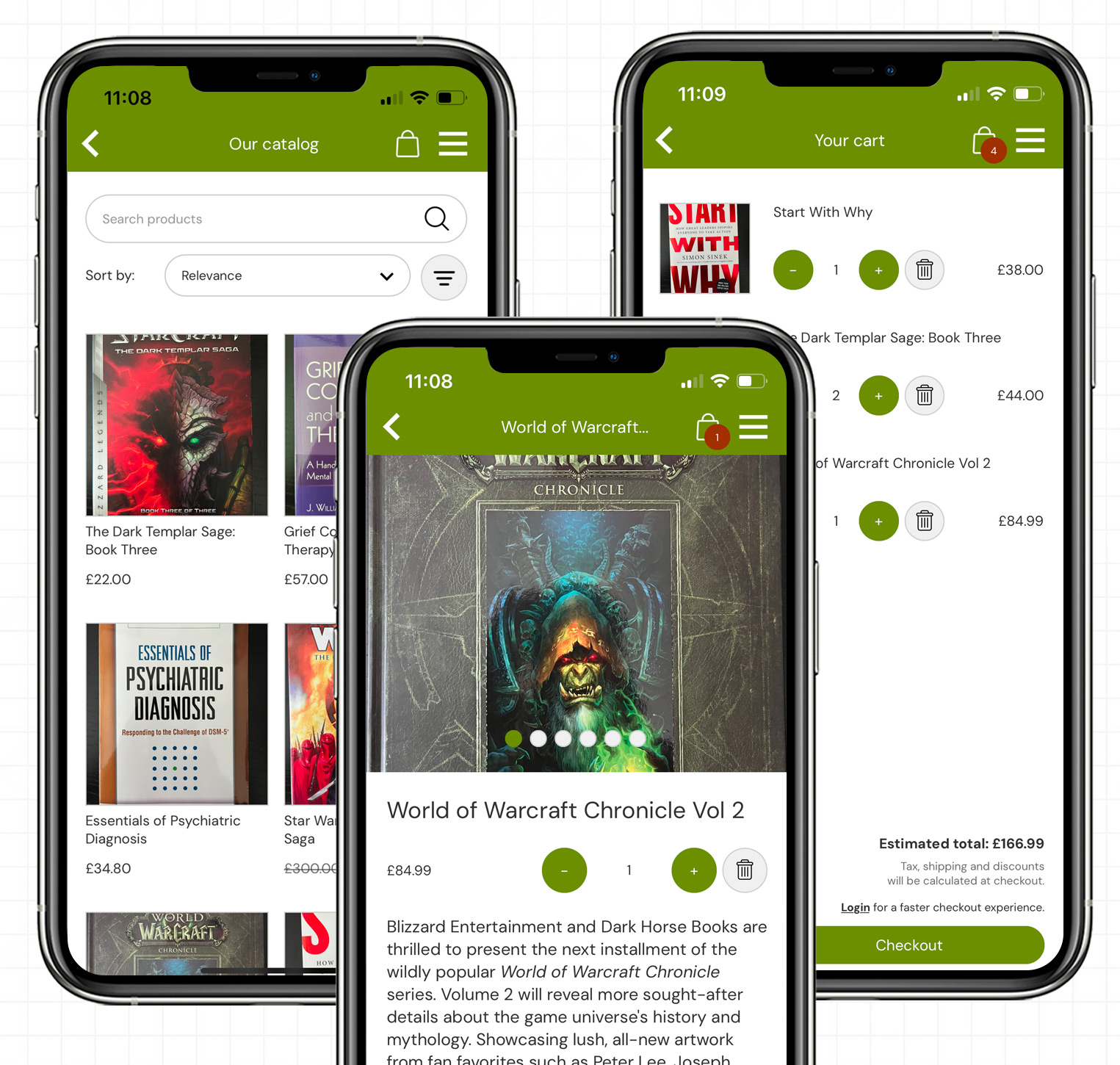
Store owner flow
- A store owner creates a new PLY account and logs into the PLY web dashboard
- The owner connects their Shopify store to PLY through a simple linking process
- They can preview their app immediately by downloading the PLY Preview mobile app from the App Store or Google Play and by scanning a QR code
- The store owner customizes their app using the PLY Theme builder, with all changes instantly reflected in PLY Preview for real-time testing
- When ready to launch, the store owner submits app store details (app name, logo, marketing copy, etc.) to PLY's customer service team, who handle the release to both the Apple App Store and Google Play
The PLY dashboard provides a clear overview of setup progress and displays real-time status information for key functions including push notifications, Live app status, and other critical features.

Architecture and security
PLY maintains a privacy-focused architecture by never storing Shopify customer or product data. Instead, it leverages Shopify's GraphQL Storefront and Admin APIs to retrieve store information, manage customer carts, process checkouts, and handle accounts in real-time.PLY's database stores only what's necessary for its extended functionality: theme configurations, screen components, and basic store properties. The back-end infrastructure manages scheduled push notifications through CRON jobs integrated with the Firebase API.
Both PLY Preview and Live store apps connect to PLY through the PLY API. The architecture implements a secure, two-tier approach to Shopify integration:
- Direct Storefront API access from mobile apps, following Shopify's recommended practice, as the Storefront API exposes only non-sensitive, public-facing data
- PLY API as a secure bridge to the Shopify Admin API, keeping the security-sensitive Admin API token isolated on PLY's back-end, never exposed to client applications
The Theme builder
The Theme builder enables users to first establish global style settings that cascade across components, including text fonts, button colors, and other design elements. It also features dedicated builders for each mobile app screen, where users can drag-and-drop components, configure their settings, and override inherited styles. This approach balances maximum customization flexibility with rapid screen design.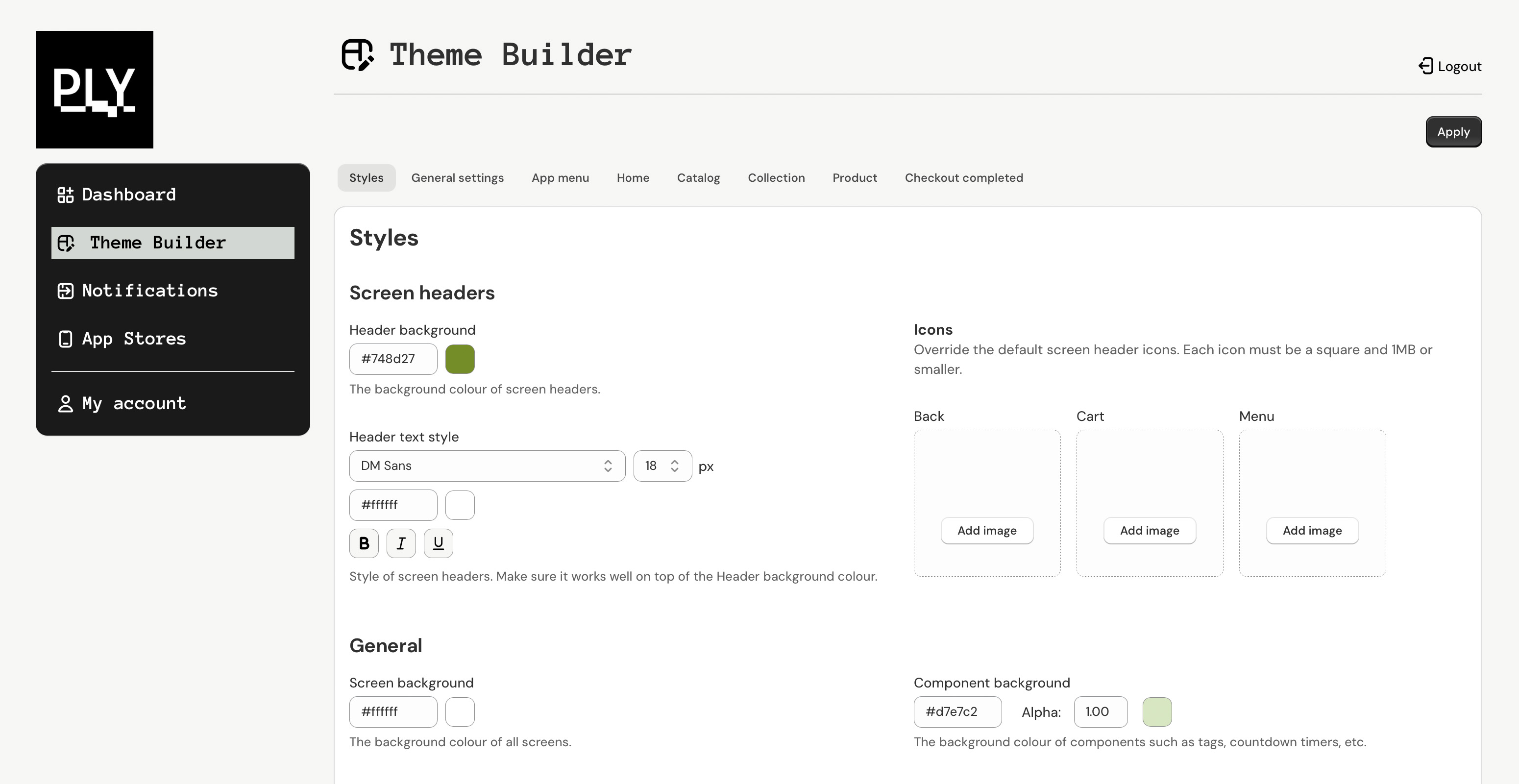
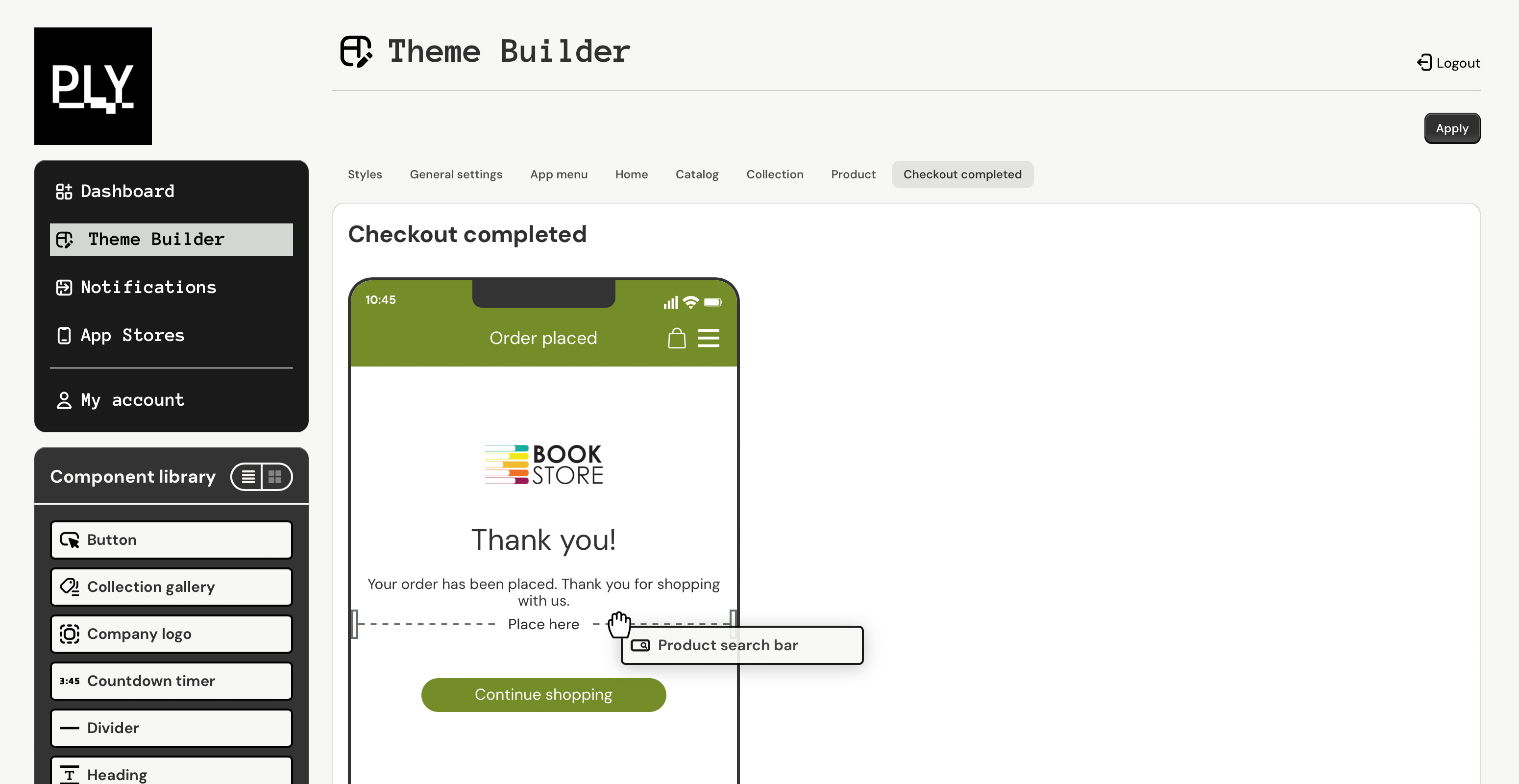
The component system is context-aware: for example, product image and information components can only be placed on the Product screen, preventing configuration errors. The app's navigation menu is also fully customizable.
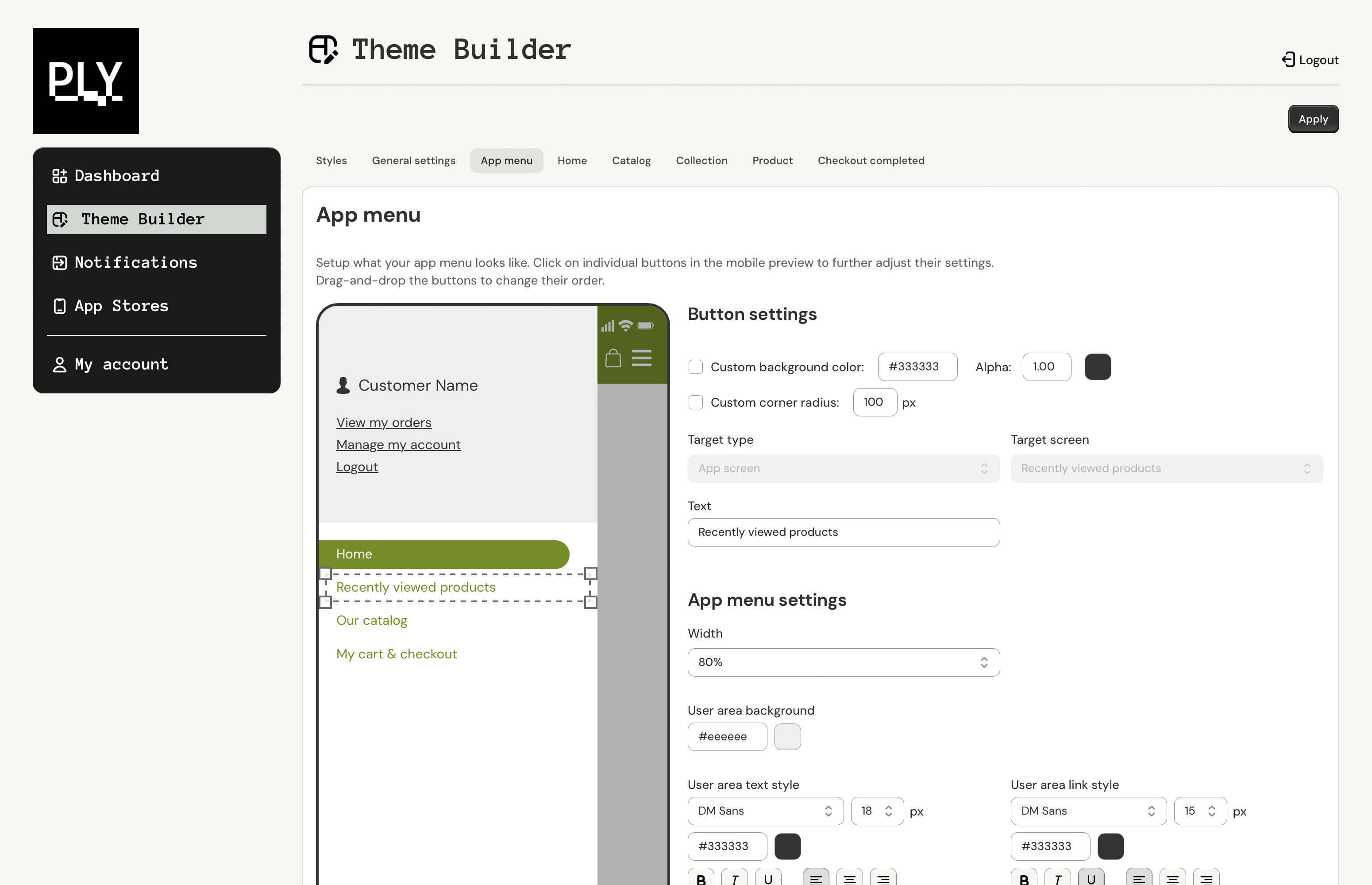
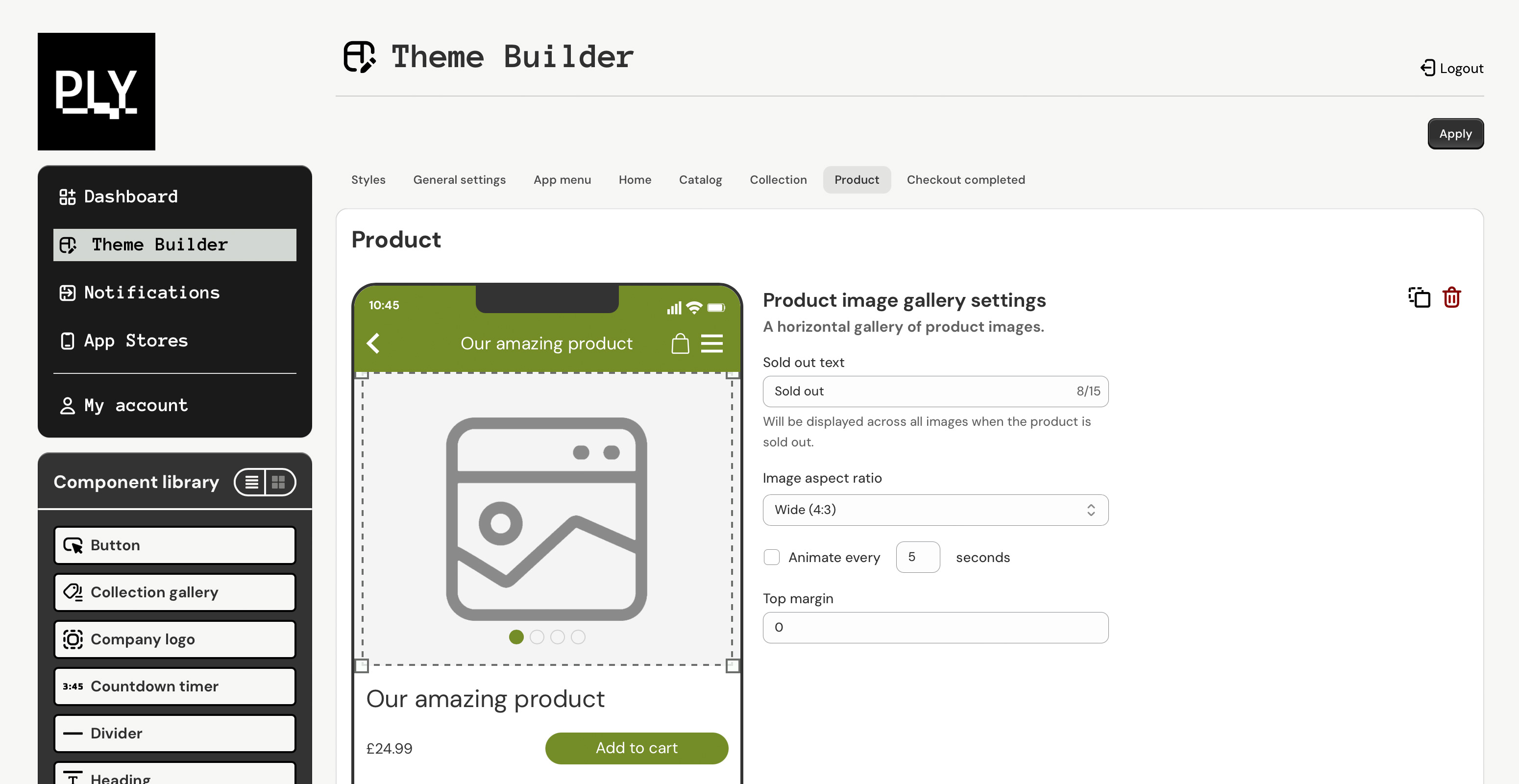
Changes to styles and components appear instantly in the Theme builder's built-in mobile screen simulator. Once saved, users simply need to close and reopen their PLY Preview app (or their Live store app) to see the updates reflected in the actual mobile experience.